
How to Track a Custom Home Budget: Current Financial Position and Projected Final Cost
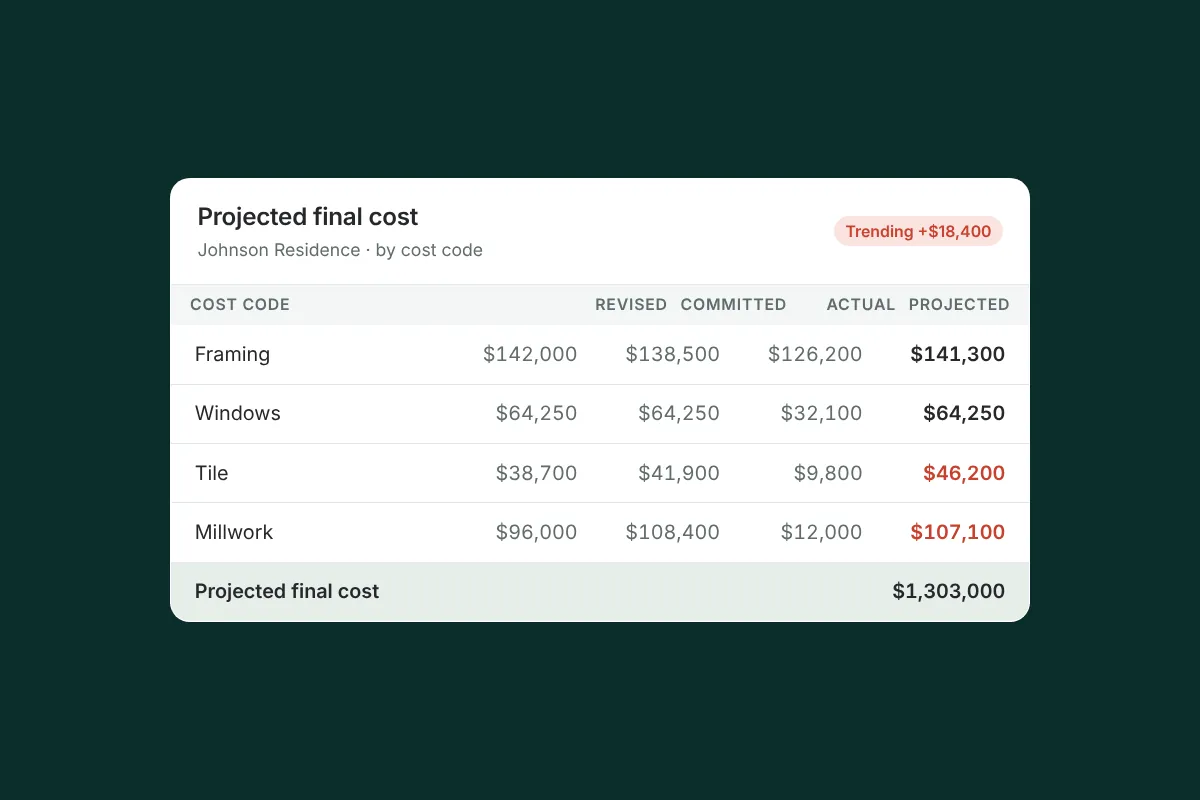
Summary
A project can look under budget on invoices received while heading toward a significant overrun. Track six numbers by cost code: original budget, revised budget, committed costs, actual costs, anticipated cost to complete and projected final cost, and record what changed, when and why.
On this page
- Key takeaways
- Why actual costs alone are misleading
- The six numbers to track by cost code
- Worked example: under budget on invoices, over budget in reality
- How to estimate the cost to complete
- Why monthly spreadsheet updates hide overruns
- Track what changed, when and why
- How often should you update and share the budget?
- How Ally keeps the budget current and transparent
- Frequently asked questions
To track a custom home budget accurately, follow six numbers for every cost code: original budget, current revised budget, committed costs, actual costs incurred, anticipated cost to complete, and projected final cost. Actual costs alone are misleading. A project can look under budget on invoices received while it is heading toward a significant overrun, because most of the money hasn’t been invoiced yet.
Key takeaways
- Budget vs. actual tells you what has been spent, not where the project will land.
- Projected final cost = actual costs to date + anticipated cost to complete, tracked by cost code.
- Committed costs (signed subcontracts and purchase orders) are the early warning most spreadsheets miss.
- Record what changed in the budget, when and why. The history matters as much as the starting and ending numbers.
- Share the current financial position and projected final cost with the owner, not just a list of invoices.
Why actual costs alone are misleading
Most residential builders track the budget the way their accounting system sees it: invoices come in, they are coded, and the job cost report shows spent versus budget. That view is accurate about the past and nearly silent about the future.
Early in a custom home, actual costs are low because most of the big commitments haven’t been invoiced yet. Windows have a deposit paid, cabinets haven’t been bought, tile hasn’t been selected. A report that shows 50% of the budget spent at the halfway point looks healthy, even when the remaining work is already priced well above what’s left. By the time those invoices arrive, the overrun is a fact rather than a decision you could still influence.
The six numbers to track by cost code
| Number | What it means | Where it comes from |
|---|---|---|
| Original budget | The budget at contract signing | Your estimate or contract budget |
| Current revised budget | Original budget plus approved revisions and change orders | Budget revisions, approved change orders, allowance adjustments |
| Committed costs | What you are contractually obligated to spend | Signed subcontracts, purchase orders, accepted quotes |
| Actual costs incurred | What has been invoiced or recorded to date | Bills, timesheets, receipts |
| Anticipated cost to complete | Your best estimate of what remains to be spent | Unbilled commitments, current quotes, PM judgment |
| Projected final cost | Where the cost code will land | Actual costs + anticipated cost to complete |
The variance that matters is revised budget minus projected final cost. A negative number is a projected overrun you can still act on: by value-engineering a selection, revising the budget with the owner’s approval, or adjusting scope.
Worked example: under budget on invoices, over budget in reality
Here is a simplified example from the middle of a cost-plus custom home. All numbers are illustrative.
| Cost code | Original | Revised | Committed | Actual | To complete | Projected final | Variance |
|---|---|---|---|---|---|---|---|
| Site work | $95,000 | $95,000 | $92,000 | $92,000 | $0 | $92,000 | +$3,000 |
| Framing | $210,000 | $222,000 | $218,000 | $176,000 | $52,000 | $228,000 | −$6,000 |
| Windows & doors | $160,000 | $160,000 | $171,500 | $85,750 | $85,750 | $171,500 | −$11,500 |
| Cabinetry | $140,000 | $148,000 | $0 | $0 | $162,000 | $162,000 | −$14,000 |
| Tile | $65,000 | $65,000 | $0 | $0 | $78,000 | $78,000 | −$13,000 |
| Total | $670,000 | $690,000 | $481,500 | $353,750 | $377,750 | $731,500 | −$41,500 |
Look at the “Actual” column alone and every line is under its revised budget. Total spend is $353,750 against a $690,000 revised budget: just over half spent, and no line overspent. A budget-vs-actual spreadsheet would show nothing wrong.
Now look at what’s coming. The window package was bought for $11,500 over budget (the deposit hides it). The framing subcontract has $42,000 left to bill, plus an expected $10,000 for additional structural work the engineer flagged. The cabinet shop’s latest quote is $14,000 over the revised budget, and the tile the homeowner is leaning toward prices $13,000 over. The projected final cost is $731,500, a $41,500 overrun on these five codes alone, visible months before most of those invoices arrive.
With that information now, the contractor and owner can make decisions while they still have options: choose a different tile, revise the cabinetry budget with documented owner approval, or accept the projected cost knowingly. That is the difference between managing a budget and reporting on it.
How to estimate the cost to complete
- Committed but unbilled: the remaining balance on signed subcontracts and purchase orders.
- Uncommitted scope: the latest quote or estimate for work not yet bought out, not the original budget number.
- Known risks: engineer’s notes, unforeseen conditions, selections trending over allowance.
- Labor and general conditions: remaining duration times your weekly rate, especially if the schedule has moved.
Update cost to complete whenever something material changes, not just at month end.
Why monthly spreadsheet updates hide overruns
Spreadsheets are fine at arithmetic. The problem is timing and connection. A spreadsheet updated once a month reflects decisions made weeks ago. It usually lives separately from the approval history, the subcontracts and the schedule, so a change approved on site or a bid awarded by email doesn’t reach the budget until someone remembers to type it in. Competing versions get emailed around, and no one is sure which is current. We cover the tradeoffs in spreadsheet vs. project management software.
Track what changed, when and why
A revised budget without its history invites suspicion. The owner sees the cabinetry line went from $140,000 to $148,000 and wants to know why. Every movement in the revised budget should trace to a documented event: a budget revision, an approved change order, or an allowance adjustment, with the date and who approved it. Not every adjustment is a change order; our guide to change orders vs. budget revisions explains the difference, and allowances explained covers allowance adjustments.
When the owner can see that history, along with the current financial position and projected final cost, the budget conversation becomes a shared decision instead of a surprise.
How often should you update and share the budget?
Update cost to complete whenever something material changes: a subcontract is signed, a quote comes back, a selection is made, an unforeseen condition appears. Do a full review of every cost code at least monthly, ideally just before each pay application, so the billing and the budget tell the same story.
Share the result with the owner on a regular rhythm they can count on, and in the same format every time. A one-page summary works well: revised budget, costs to date, committed costs, projected final cost and the variance, with a short note on anything that moved and why. On a cost-plus project, owners who can see this without asking are far less likely to question individual invoices, because the invoices fit a picture they already understand. Review the summary at your owner–architect–contractor meeting so the architect hears budget pressure early too.
How Ally keeps the budget current and transparent
Ally ties budget tracking to the same approval and change order workflow your clients already use. Approved change orders update the budget automatically, and awarded bids flow straight into the project budget, so the numbers reflect commitments as they happen rather than at month end. The budget keeps the original amounts, revisions and change orders together, with the history of what changed.
Owners can see where their money is going and how the project is tracking, which reduces the second-guessing that fuels billing disputes. You can flag a projected overrun early and have the conversation before it becomes a problem. Learn more about budget management in Ally.
Frequently asked questions
How do I track a construction budget for a custom home?
Track each cost code with six numbers: original budget, revised budget, committed costs, actual costs, anticipated cost to complete and projected final cost. Update cost to complete when commitments or quotes change, and record every budget movement with its reason and approval.
What is projected final cost in construction?
Projected final cost is your best estimate of where a cost code or project will finish: actual costs incurred to date plus anticipated cost to complete. Comparing it with the current revised budget shows projected overruns or savings while you can still act on them.
What is the difference between committed cost and actual cost?
Committed cost is what you are contractually obligated to spend, such as signed subcontracts and purchase orders. Actual cost is what has been invoiced or recorded so far. The gap between them is money you will spend but haven’t seen yet, which is why committed costs are an early warning for overruns.
How do you prevent cost overruns on a custom home?
Watch projected final cost, not just spending. Buy out major scopes early, compare quotes against the revised budget before committing, show the owner running allowance balances, and document every budget revision and change with its approval. Overruns caught early are decisions; caught late, they are disputes.
Is a spreadsheet good enough for job costing on a custom home?
A spreadsheet can do the math, but it usually isn’t connected to approvals, subcontracts and the schedule, so it lags behind decisions and is hard to share with the owner as a single current version. Larger or cost-plus projects benefit from a system where those pieces update together.
See how Ally shows the owner and your team the same current numbers. Book a demo.
Related resources
Allowances in Construction Contracts: How to Manage Them Without Surprising Your Client
What a construction allowance is, why allowances cause budget fights, how to set realistic amounts and how to show homeowners running allowance balances.
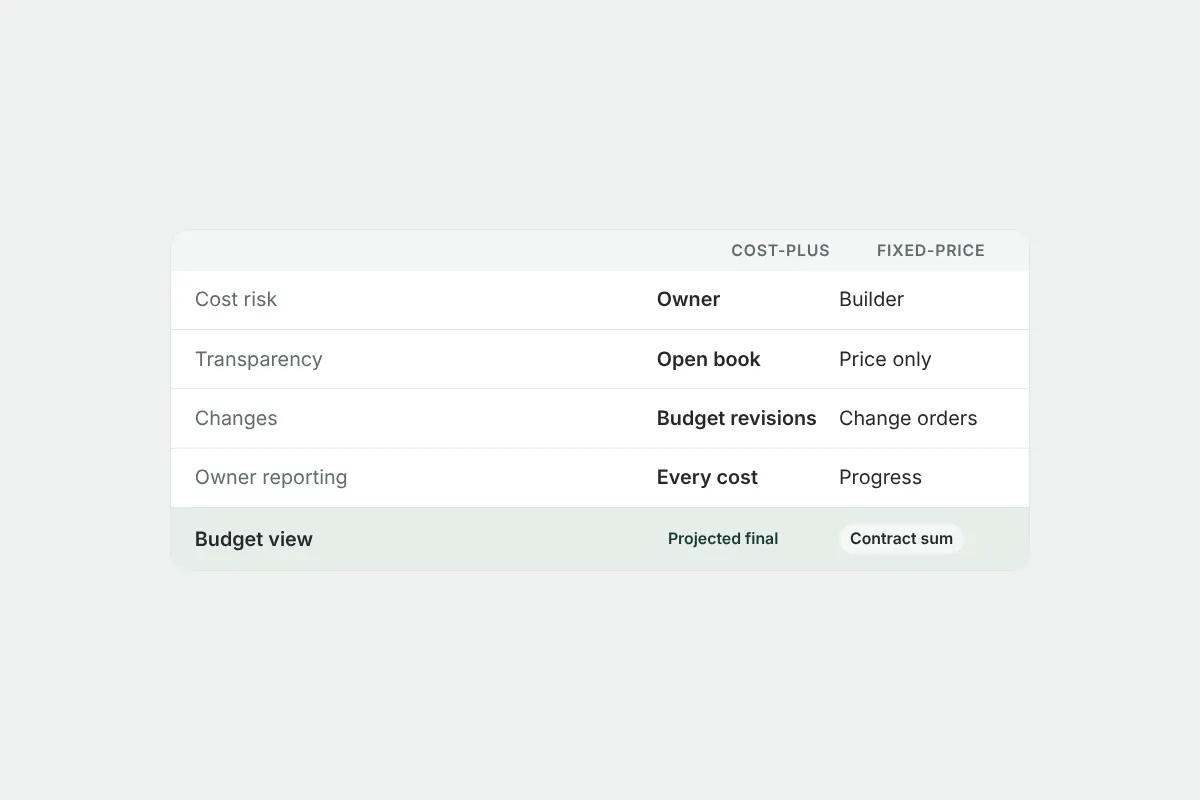
Cost-Plus vs. Fixed-Price Contracts: How Each Changes the Way You Manage a Budget
Cost-plus vs. fixed-price contracts for residential builders: how risk, transparency, admin work and client trust differ, and how to track the budget for each.
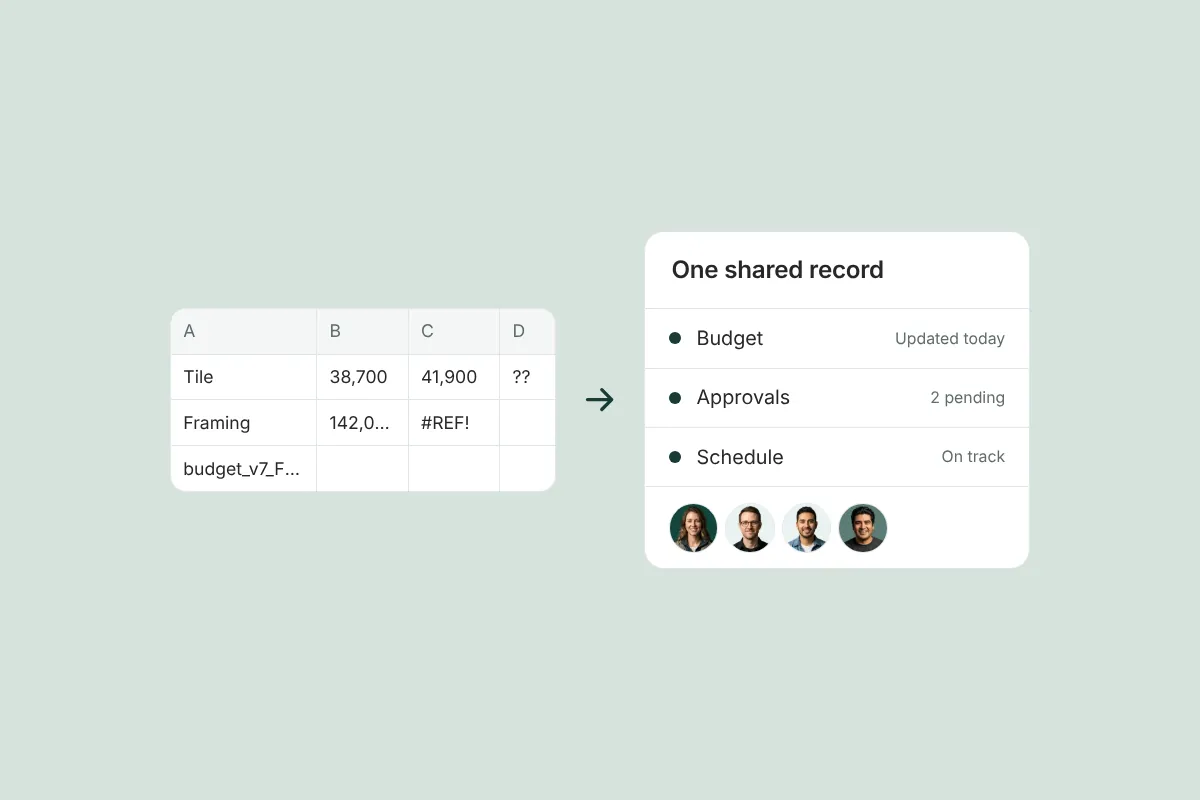
Spreadsheet vs. Project Management Software for Small Residential Builders: When to Switch
An honest comparison of spreadsheets vs. construction project management software for small residential builders, and the signs it’s time to switch.
Get started with Ally
Start with one project and expand as your business grows. No hidden fees, no long-term contracts.