
Change Orders vs. Budget Revisions: What Custom Home Builders Need to Know

Summary
On a cost-plus custom home, a formal change order is the right tool for some cost adjustments and the wrong one for others. Builders should separate fixed-price subcontract changes, budget revisions, allowance adjustments, unforeseen conditions and owner-requested scope changes, then document authorization before proceeding using the process that fits each one.
On this page
- Why “every change needs a change order” doesn’t fit cost-plus work
- What are the five types of cost adjustment on a custom home?
- Change order vs. budget revision: a comparison table
- The principle: document authorization before proceeding
- What’s the risk of verbal or text-message changes?
- How each adjustment type affects the projected final cost
- Does the contract type change the answer?
- How Ally keeps change orders and budget revisions straight
- Frequently asked questions
A change order and a budget revision are not the same thing. A change order modifies a contract’s agreed scope, price or time and needs the owner’s signed approval. A budget revision updates the projected cost of the work inside an existing cost-plus agreement. On a custom home, most cost adjustments fall into one of five types, and each needs its own kind of documentation.
- Not every cost adjustment requires a formal change order. Treating them all that way slows the job without adding protection.
- The five common types are: changes to a fixed-price subcontract, budget revisions, allowance adjustments, unforeseen conditions and owner-requested scope changes.
- The principle that holds for all five: document authorization before proceeding, using the process appropriate to the work.
- Undocumented verbal or text-message changes are still the biggest source of unpaid work and payment disputes.
- The owner should always be able to see the current budget and projected final cost, whichever route a change took.
Why “every change needs a change order” doesn’t fit cost-plus work
A lot of construction advice, and a lot of construction software, assumes a fixed-price contract. On fixed-price work, the contract sum only moves through a change order, so “no change order, no change” is a reasonable rule.
Cost-plus custom homes work differently. The owner pays the actual cost of the work plus a fee, and the budget is a forecast that gets refined as drawings develop, bids come in and selections are made. Many cost adjustments on these projects aren’t changes to the contract at all. They’re updates to the estimate of what the agreed scope will cost.
If you route every one of those updates through a formal change order, two things happen. First, the job slows down while signatures are chased for adjustments the owner already agreed to in principle. Second, the change order log fills with items that aren’t really changes, which makes the ones that are harder to see. Neither outcome helps the owner understand where the project stands.
The better approach is to classify the adjustment first, then document it the way that type of adjustment should be documented.
What are the five types of cost adjustment on a custom home?
1. A change to a fixed-price subcontract
Even on a cost-plus project, many trades work under a fixed-price subcontract. If the framer’s scope grows because the structural engineer added hold-downs, that’s a change to the framer’s agreed price. It needs a subcontract change order between you and the sub, signed before the extra work starts. Whether the owner also signs depends on what the extra cost does to the project budget and what your prime contract says.
2. A budget revision
A budget revision updates the projected cost of scope the owner has already agreed to. Examples: the mechanical bid came in above the preliminary number, or lumber pricing moved between estimate and purchase. The scope didn’t change; your forecast did. On a cost-plus contract this usually calls for a documented revision with an explanation, shared with the owner, rather than a change order. Many contracts require owner acknowledgment above a set threshold, so check yours.
3. An allowance adjustment
Allowances are placeholders for items the owner hasn’t selected yet, such as tile, plumbing fixtures or appliances. When the owner picks a $14,000 tile package against a $10,000 allowance, the $4,000 difference is an allowance adjustment. The owner’s selection approval is the authorization; the budget then reflects the overage. Our guide to managing allowances in construction contracts covers setting realistic amounts and showing running balances.
4. An unforeseen condition
Rotten sill plates behind a wall, unexpected rock during excavation, or knob-and-tube wiring in a remodel are conditions nobody could reasonably have priced. Most contracts address these specifically, often with a notice requirement and a timeline. Document the condition when you find it with photos, a written description and the proposed fix and cost. Notify the owner promptly, and get authorization to proceed before the corrective work goes beyond what’s needed to make the site safe.
5. An owner-requested scope change
The owner wants a larger window in the primary bedroom, a covered porch extension, or a different layout in the pantry. This is a true change to the agreed scope, and it’s where a formal change order belongs on almost any contract type. It should show the scope, the cost, the schedule impact and the owner’s signature. See how to write a construction change order for a template.
Change order vs. budget revision: a comparison table
Use this as a starting point. Your contract governs who must approve what, and thresholds vary from builder to builder.
| Adjustment type | Who authorizes | What document | When | Budget and schedule effect |
|---|---|---|---|---|
| Change to a fixed-price subcontract | Contractor and subcontractor; owner too if it changes the project budget or the contract requires it | Subcontract change order, plus a budget revision if the project cost moves | Before the sub starts the extra work | Updates the committed cost on that cost code; may affect the schedule for that trade |
| Budget revision | Contractor prepares; owner reviews, and approves above any contract threshold | Budget revision with reason, old and new amounts, and backup (bid, quote) | As soon as the forecast changes, not at the next pay app | Changes the current revised budget and projected final cost; scope unchanged |
| Allowance adjustment | Owner, through the selection approval | Approved selection with price; allowance log entry | Before ordering the item | Overage or credit against the allowance line; lead times can affect the schedule |
| Unforeseen condition | Owner, after notice from the contractor | Written notice with photos, description and proposed fix; then a change order or budget revision per the contract | Notice as soon as discovered; authorization before work beyond making it safe | Adds cost and often time; record the cause in the schedule |
| Owner-requested scope change | Owner | Formal change order: scope, cost, schedule impact, signature | Before the work proceeds | Changes contract scope, budget and usually the schedule |
The principle: document authorization before proceeding
The common thread isn’t “always use a change order.” It’s this: before the work goes ahead, there’s a documented record that the right person authorized it, using the process that fits the work.
That record should answer a few questions for anyone who reads it later:
- What exactly is changing, and why?
- Which type of adjustment is it?
- What does it do to the budget and the projected final cost?
- Does it affect the schedule, and by how much?
- Who authorized it, when, and what did they see when they did?
It also helps to distinguish authorization to develop pricing from authorization to proceed. An owner can ask you to price a covered porch without committing to build it. Keeping those two approvals separate avoids the classic dispute where the owner thought they were asking a question and the builder thought they were giving a go-ahead.
What’s the risk of verbal or text-message changes?
Verbal agreements on a walkthrough and “sounds good” texts are where most change-related payment problems start. The common outcomes:
- Unpaid work. The owner remembers asking for an upgrade but not agreeing to its price, and the cost gets absorbed.
- Disputes at closeout. Small undocumented changes add up until the final accounting doesn’t match what the owner thinks they approved.
- Lien and collection problems. If you ever need to enforce payment, weak documentation of extra work can make it harder to establish what was owed.
Whether a verbal change order is enforceable depends on your contract (many require written change orders) and your state’s law. A text may count as evidence of something, but it rarely shows the scope, the price and the schedule impact together. This is general information, not legal advice; check your contract and state law.
The practical fix isn’t refusing to talk about changes in the field. It’s making it easy to turn a conversation into the right document the same day.
How each adjustment type affects the projected final cost
Whichever route an adjustment takes, the owner should see its effect on the overall project. A useful habit is to track, by cost code, the original budget, every revision and change since, and the projected final cost. Here’s a simple example on one line.
| Cost code 09-300 Tile (example) | Amount | Type |
|---|---|---|
| Original budget | $38,000 | Includes $10,000 tile allowance |
| Primary bath tile selection over allowance | +$4,000 | Allowance adjustment (owner selection approval) |
| Installer bid above preliminary estimate | +$2,500 | Budget revision (bid attached) |
| Added tiled shower bench at owner’s request | +$1,800 | Change order (signed) |
| Current revised budget | $46,300 |
Each line carries its own authorization, but the owner sees one current number and how it got there. That’s the difference between a client who trusts the budget and one who asks for a reconciliation every month. For the full method, read how to track current financial position and projected final cost.
Does the contract type change the answer?
Yes. On a fixed-price contract, nearly every change to the owner’s price runs through a change order, because the price is the contract. On cost-plus, many adjustments are budget revisions inside an agreed scope, and the owner’s protection comes from transparency: open books, documented reasons and a current projected final cost. Many custom builders use a hybrid, with a cost-plus prime contract and fixed-price subcontracts underneath, which is why all five types show up on the same job. Our comparison of cost-plus vs. fixed-price contracts goes deeper.
How Ally keeps change orders and budget revisions straight
Ally tracks change orders and budget revisions as separate records on the project budget. A change order goes to the owner for formal approval and is captured with a timestamp. A budget revision records the reason and the before-and-after amounts. Both roll up into one current budget, so the owner sees the current financial position and projected final cost without asking for a report.
Approved changes flow into the budget and schedule, and every change keeps its full history, so you can pull up what was approved, by whom and when if a question comes up later. See how change orders in Ally work, or how budget management ties revisions to the owner’s view.
Frequently asked questions
What is the difference between a change order and a budget revision?
A change order changes the contract itself: the agreed scope, price or time, with the owner’s signed approval. A budget revision updates the projected cost of scope that’s already agreed, such as a bid coming in higher than the preliminary estimate. On cost-plus projects, budget revisions are common and usually need documentation and owner visibility rather than a formal change order.
Do you need a change order on a cost-plus contract?
For owner-requested scope changes, yes, in almost every case. For other cost adjustments, often not. Bid variances, allowance overages and refined estimates are usually handled as documented budget revisions or selection approvals. Your contract may set a dollar threshold above which owner approval is required, so the contract language decides where the line sits.
Are verbal change orders enforceable?
Sometimes, but relying on them is risky. Many construction contracts require changes in writing, and state law varies. Even where a verbal agreement holds up, proving its scope and price is hard. Document every change in writing, with the cost and schedule impact, before the work proceeds. This is general information, not legal advice.
How do I get paid for extra work that wasn’t on a change order?
Start by assembling everything that shows the owner requested or accepted the work: messages, photos, meeting notes, delivery records. Then present it with a clear price and ask for written approval. Going forward, prevent the problem by documenting authorization before proceeding, using the process appropriate to the type of change.
Is an allowance overage a change order?
Usually not. An allowance overage is the result of the owner’s own selection within an item the contract already includes. The owner’s documented selection approval is the authorization, and the budget shows the overage against the allowance line. It becomes a change order only if the selection changes the scope itself.
Want to see change orders and budget revisions side by side on a real project budget? Book a demo and we’ll walk through it.
Related resources
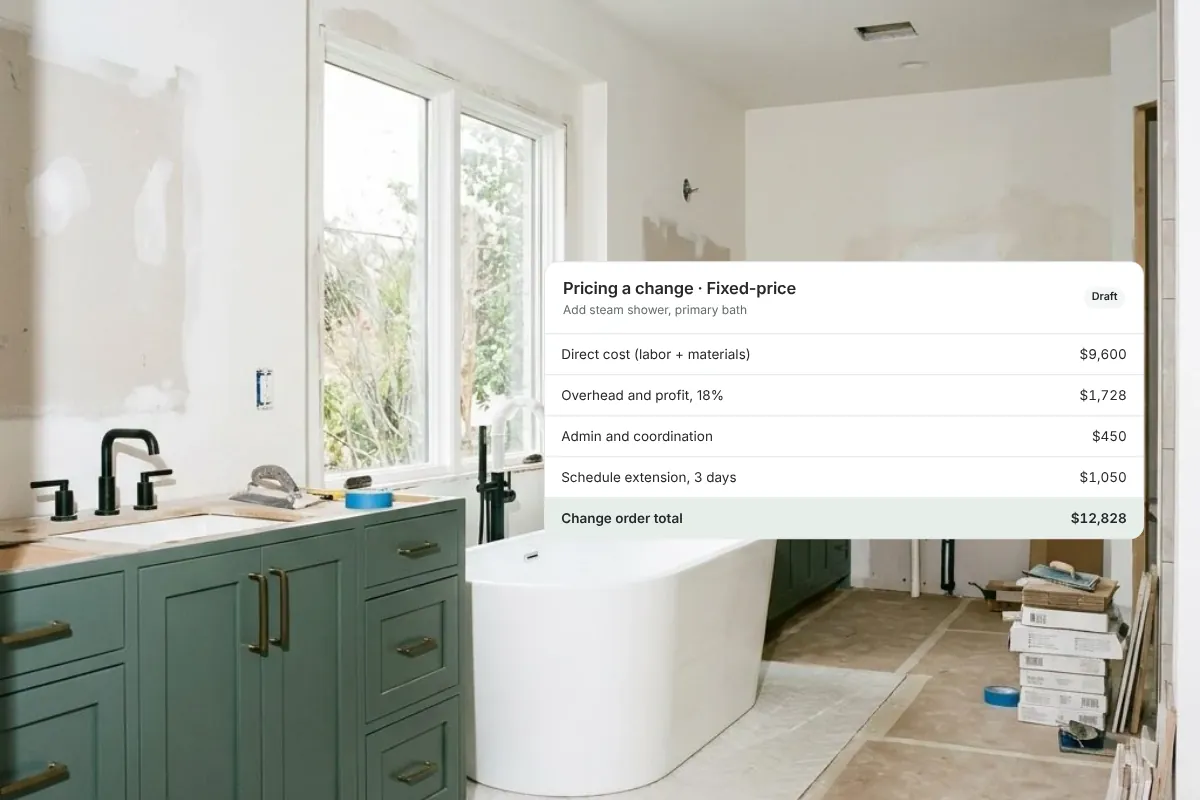
How to Price Changes on a Custom Home: Cost-Plus vs. Fixed-Price
How to price a change order fairly on a custom home: direct cost, markup, overhead, admin time and schedule impact, for fixed-price and cost-plus work.
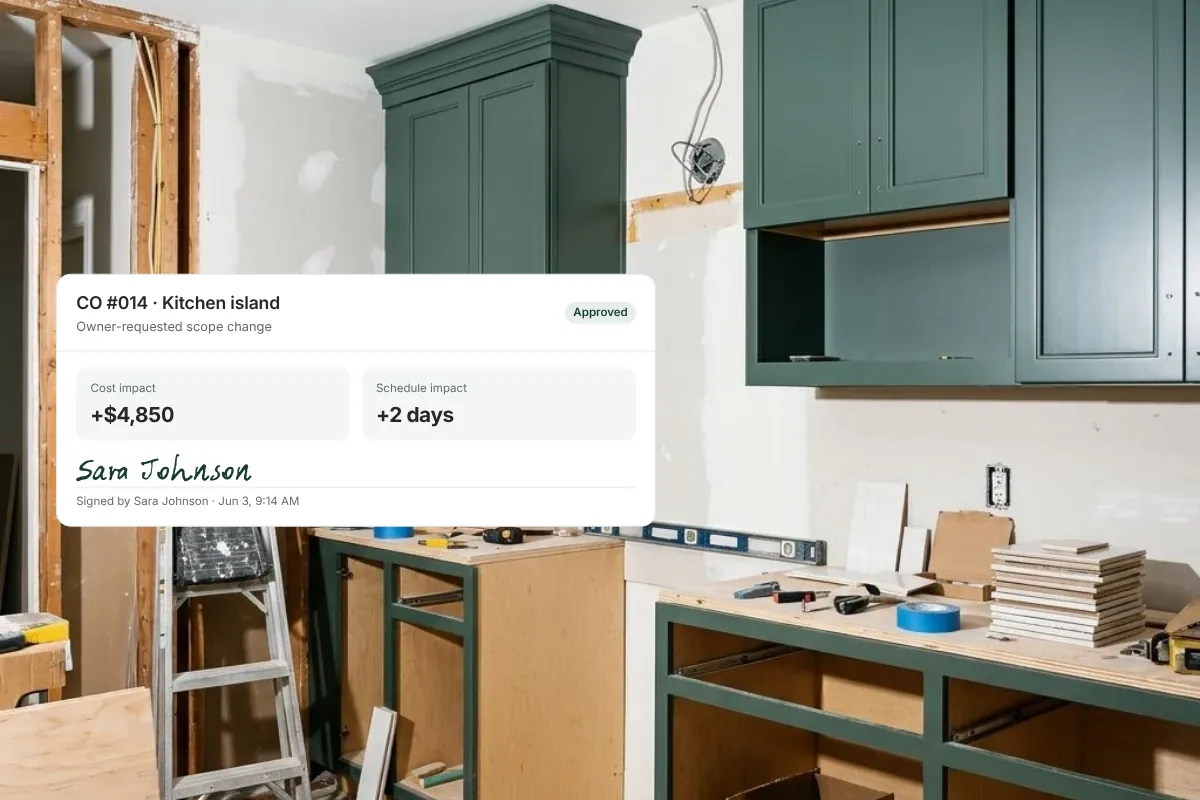
How to Write a Construction Change Order
How to write a construction change order: what to include (scope, cost, schedule impact, approval), a copy-ready template and a worked example.

What to Do When a Homeowner Keeps Changing Their Mind Mid-Build
When a homeowner keeps changing their mind mid-build, costs spiral and timelines collapse. Here's how to protect your project and your sanity.
Get started with Ally
Start with one project and expand as your business grows. No hidden fees, no long-term contracts.