
How to Prepare Accurate, Fully Documented Pay Applications
Summary
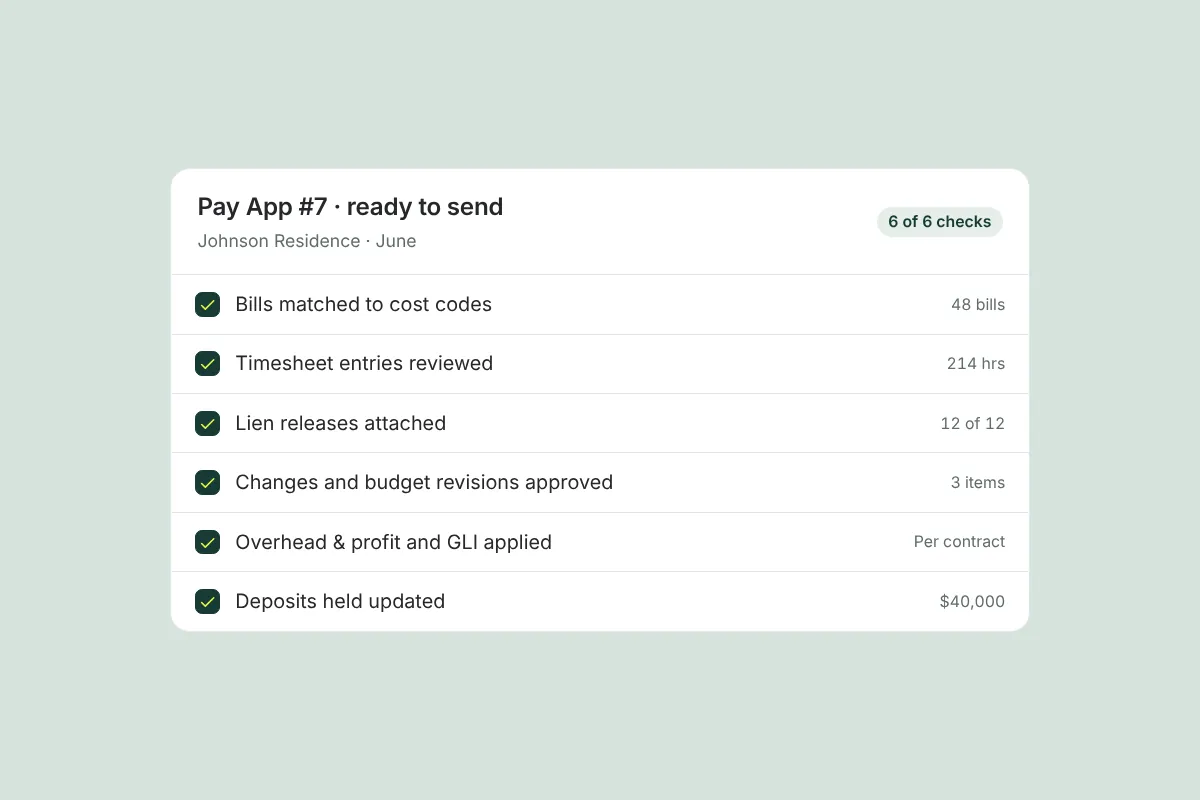
Most pay application problems come from a handful of gaps: missing or mismatched invoices, missing lien releases, unapproved changes, percent complete that doesn’t match the site, and math errors. A short pre-submission review catches them, so the owner (and the lender, if there is one) can approve the draw the first time.
On this page
An accurate, fully documented pay application is one where every billed amount matches an invoice, timesheet or approved change, every required lien release is attached, percent complete reflects what’s actually built, and the math ties out from line items to the summary. Running a short pre-submission checklist before every draw catches the gaps that cause questions, delays and resubmissions.
Key takeaways
- Most pay app problems are documentation problems, not billing problems.
- The five common issues: missing or mismatched invoices, missing lien releases, unapproved changes, percent complete that doesn’t match the site, and math errors.
- Review the package the way the owner will, before they do.
- Lender and draw-inspector review uses the same backup; get it right for the owner and you’re most of the way there.
- A pay app built from project data, with backup attached, prevents most of these errors at the source.
Why “right the first time” matters on a custom home
When a pay app comes back with questions, the cost isn’t only the delay in getting paid. Every correction tells the owner that the numbers might not be reliable. On a cost-plus project, where the owner is reimbursing actual costs, that doubt spreads: if one invoice was wrong, what about the rest?
The opposite is also true. A builder whose pay apps consistently arrive complete, organized and easy to follow builds a reputation for transparency that makes every later conversation — about a budget revision, an allowance overage or a schedule change — easier. The checklist below is how you get there.
What are the most common pay application problems?
1. Missing or mismatched invoices
The billed amount for a line doesn’t match the invoices behind it, an invoice is missing, or the same invoice appears twice. On jobs with many vendors this happens easily, especially when invoices arrive by email, text and paper over the course of a month.
Prevent it: code each invoice to a cost code when it arrives, and compare billed amounts per line to the sum of coded invoices before sending.
2. Missing lien releases
The owner (and any lender) wants evidence that subs and suppliers paid from previous draws have released their lien rights for those amounts. A missing release can hold up an otherwise clean draw. Requirements vary by state and contract, including whether releases are conditional or unconditional and when each is due. This is general information, not legal advice; check your contract and state law.
Prevent it: request releases when you pay vendors, not when the next pay app is due. Our guide on collecting and tracking lien releases covers the process.
3. Unapproved changes or budget revisions
A line is billed above its budget because of a change the owner hasn’t formally approved yet. Even if the owner agreed verbally, billing before authorization is documented invites a dispute. Remember that not every adjustment is a change order; some are budget revisions or allowance adjustments with their own approval process (see change orders vs. budget revisions).
Prevent it: only bill against the current approved budget. List pending items separately so the owner sees what’s coming without being asked to pay for it yet.
4. Percent complete that doesn’t match the site
On fixed-price lines, billing 80% of drywall when it’s visibly half done is the fastest way to lose an owner’s trust and fail a draw inspection. Overbilling early also leaves too little money in the line to finish the work.
Prevent it: base percent complete on a site walk or photos from the period, and keep the photos with the pay app.
5. Math errors
Line totals that don’t sum to the summary, retainage calculated on the wrong base, previous payments that don’t match what the owner actually paid, or a fee applied twice. Small errors cause big delays because they undermine confidence in everything else.
Prevent it: generate totals from the line items rather than typing them, and reconcile “previous payments” against payments actually received.
The pre-submission checklist
Run this before every pay app goes out. It takes far less time than answering a round of questions afterward.
Documentation
- ☐ Every invoice for the period is coded to a cost code and attached.
- ☐ No invoice appears twice, in this draw or a previous one.
- ☐ Invoices match the subcontract, purchase order or awarded bid (scope, quantities, unit prices).
- ☐ Timesheets and labor charges are attached, with hours by person and cost code.
- ☐ Receipts for small purchases are attached.
- ☐ Lien releases for amounts paid in previous draws are in hand, in the form your contract and state require.
- ☐ Stored materials (if billed) have delivery tickets, photos and evidence of storage and insurance as the contract requires.
Budget and approvals
- ☐ Every line is billed against the current approved budget.
- ☐ Approved change orders and budget revisions are listed separately and match their signed approvals.
- ☐ Nothing is billed for pending or unapproved changes.
- ☐ Lines approaching or over budget are flagged with an explanation.
Progress
- ☐ Percent complete reflects work in place, confirmed by a site walk or dated photos.
- ☐ Fixed-price lines leave enough balance to finish the work.
Math
- ☐ Line items sum to the summary totals.
- ☐ Retainage is calculated on the correct base and at the contract rate.
- ☐ Previous payments match payments actually received.
- ☐ The contractor’s fee (on cost-plus work) is calculated as the contract specifies, once.
- ☐ Current payment due = total completed to date − retainage − previous payments.
Presentation
- ☐ A plain-language summary page opens the package.
- ☐ Backup is ordered to match the line items.
- ☐ Anything unusual is explained in a short note before the owner has to ask.
How do lenders and draw inspectors review a pay app?
When the owner has a construction loan, the lender usually reviews each draw before releasing funds, often through a third-party draw inspector. The inspector typically visits the site to confirm the work in place matches the percent complete claimed, checks that lien releases are present, and compares the draw to the lender’s approved budget for the loan. Some lenders also require their own draw request form, title updates or specific release formats.
A draw is commonly held up when the inspector sees less work in place than billed, when releases are missing, or when line items have moved between budget categories without an approved revision. The fix is the same discipline as for the owner: honest percent complete, releases in hand, and changes documented before they’re billed. Ask the lender for their draw requirements at the start of the project so your format matches theirs from the first draw.
How Ally helps you get pay apps right the first time
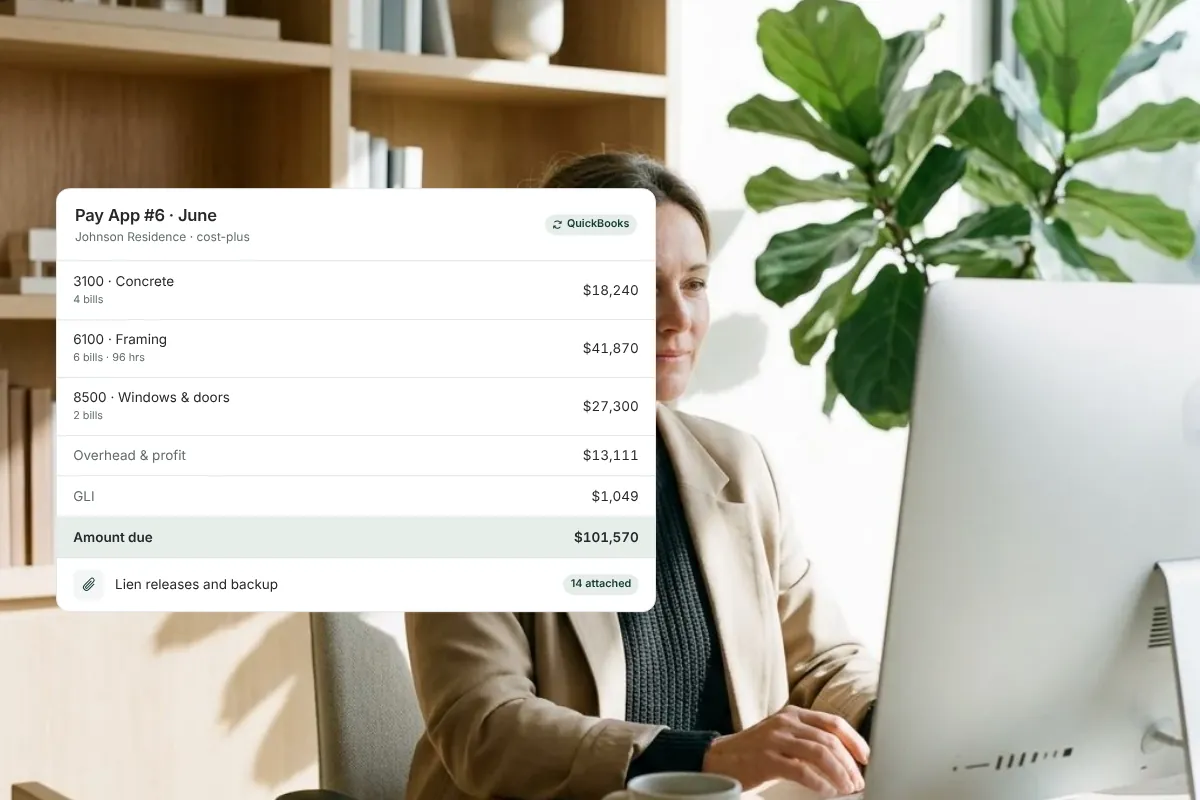
Most of the checklist above is about making sure the pay app and its backup agree. Ally avoids the mismatch at the source by building pay apps from the records already in the project. Bills, timesheets and approved change orders are coded to the budget as they’re entered, so line items are generated from them rather than retyped. Lien releases are requested from vendors and signed online, then attached along with invoices, receipts and timesheets.
The owner reviews one organized pay app with the documentation in place, and the invoice syncs to QuickBooks Online. Clear, documented pay apps get approved and paid with less back-and-forth. See how Ally’s pay application software works, or start with our step-by-step guide on how to create a pay application for a custom home. If vendor paperwork is the bottleneck, our guide to tracking subcontractor insurance and compliance documents covers the rest of the file.
Frequently asked questions
Why do construction draws get held up or rejected by the bank?
The most common reasons are percent complete that’s ahead of the work in place, missing lien releases, line items that don’t match the lender’s budget, math errors, and billing for changes that weren’t approved. Lenders and their draw inspectors want the draw to match the site and the paperwork. Organized backup and honest progress billing prevent most holds.
What does a construction draw inspector check?
A draw inspector typically walks the site to confirm the work billed is actually in place, compares the percent complete on each line to what they see, and reports back to the lender. Many also confirm that lien releases and any required documents are present. Requirements vary by lender, so ask for their checklist early.
Do you need a lien waiver with every pay application?
Often, yes. Many owners and lenders require lien releases from the contractor and from subs and suppliers paid in previous draws before releasing the next payment. Whether releases are conditional or unconditional, and when each is required, depends on the contract and state law. This is general information, not legal advice.
How can I get construction draws approved faster?
Submit on a consistent schedule, with complete backup ordered to match the line items, honest percent complete supported by photos, lien releases in hand, and only approved changes billed. Most delays come from questions; a pay app that answers them in advance moves through owner and lender review faster.
What is the difference between a pay app and an invoice?
An invoice requests payment for a specific amount. A pay application is a structured request that shows the full financial picture: contract or budget by line, work completed to date, retainage, previous payments and the current amount due, with supporting documentation. On custom homes, the pay app is usually what the owner and lender review.
See how documented pay apps work in practice: book a demo.
Related resources

Retainage in Residential Construction: How It Works and How to Track It
Retainage is a share of each payment held back until the work is complete. Learn typical rates, when it’s released and how to track it on a custom home.
How to Create a Pay Application for a Custom Home (Step by Step)
A step-by-step guide to building a custom home pay application: backup by cost code, schedule of values, retainage and G702/G703 formats explained.

How to Collect and Track Lien Releases from Subs and Suppliers
Learn how to collect and track lien releases from subs and suppliers on every job, so you never close out a project with an unresolved lien hanging over it.
Get started with Ally
Start with one project and expand as your business grows. No hidden fees, no long-term contracts.